Take your company to the next level.
Companies grow fast, and processes and documentation fall behind. We help them catch up: we uncover how your company really works and design solutions to help it work better.
A proven method for change.
-
Step 1
Process audit
Every audit starts with a plan: we agree the goal, the scope and who to talk to, and fit the method to the process and to your company. Interviews, workplace observation, time measurements and a document review end with a report of findings and recommendations.
-
Step 2
Description and change design
We describe the current state as we find it and design the future state together with you. Both go into the process card, which the workstation procedures are built from.
-
Step 3
Implementation
We see the change through as a project: a plan, tasks for the team and a check of the result with the same measure we took at the start.
Processes described the way they really run.
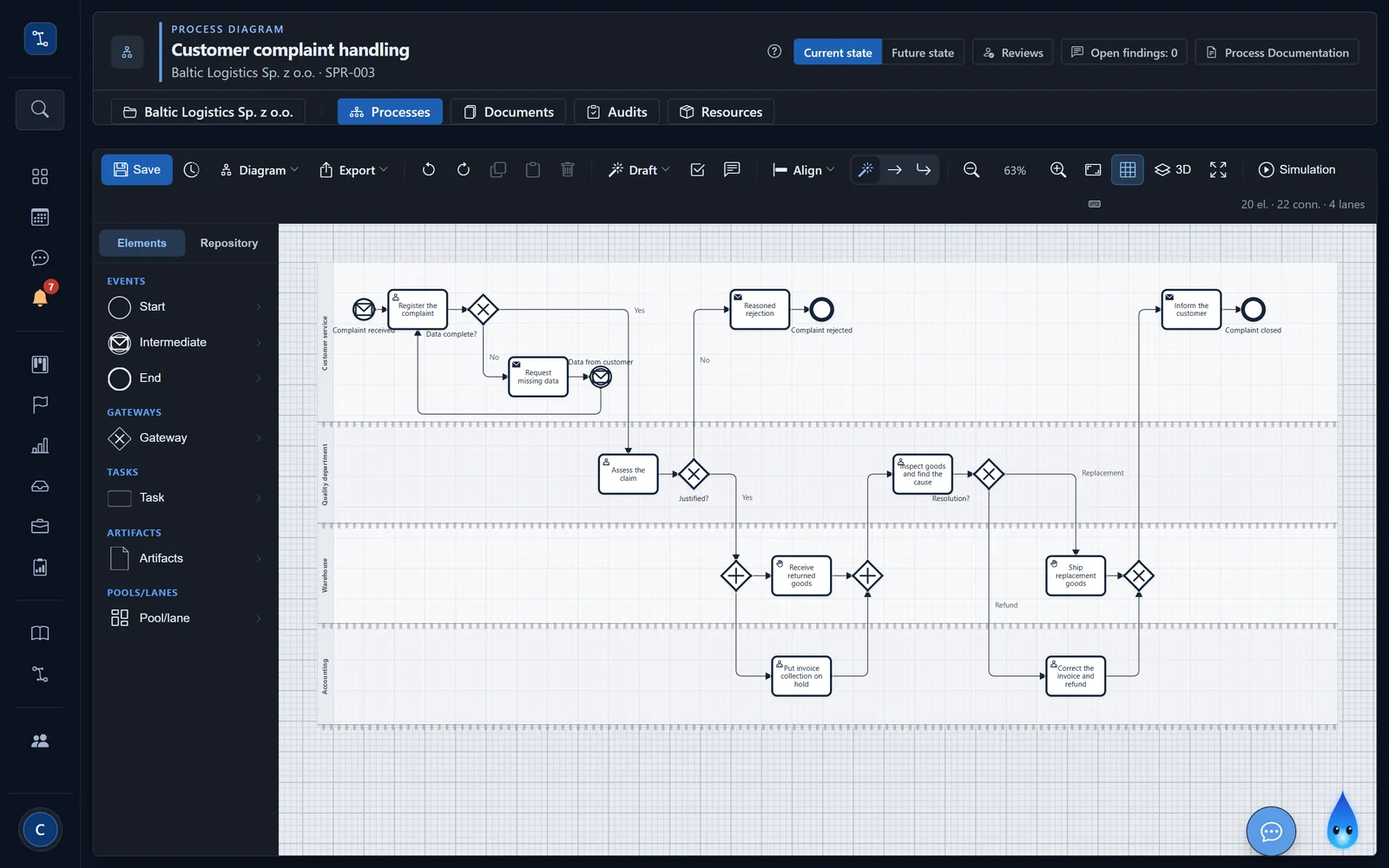
Every process has its own card in nFlow: a diagram with lanes for each role, a list of steps with performers and resources, a responsibility matrix and measures.
All company procedures in one register.
One app for the whole team: processes, procedures and projects in one place. The repository organises procedures by department. Each has a code, a version, an effective date and an owner, and its status tells you whether it is a draft, in force, due for review or withdrawn.
Every change is a project.
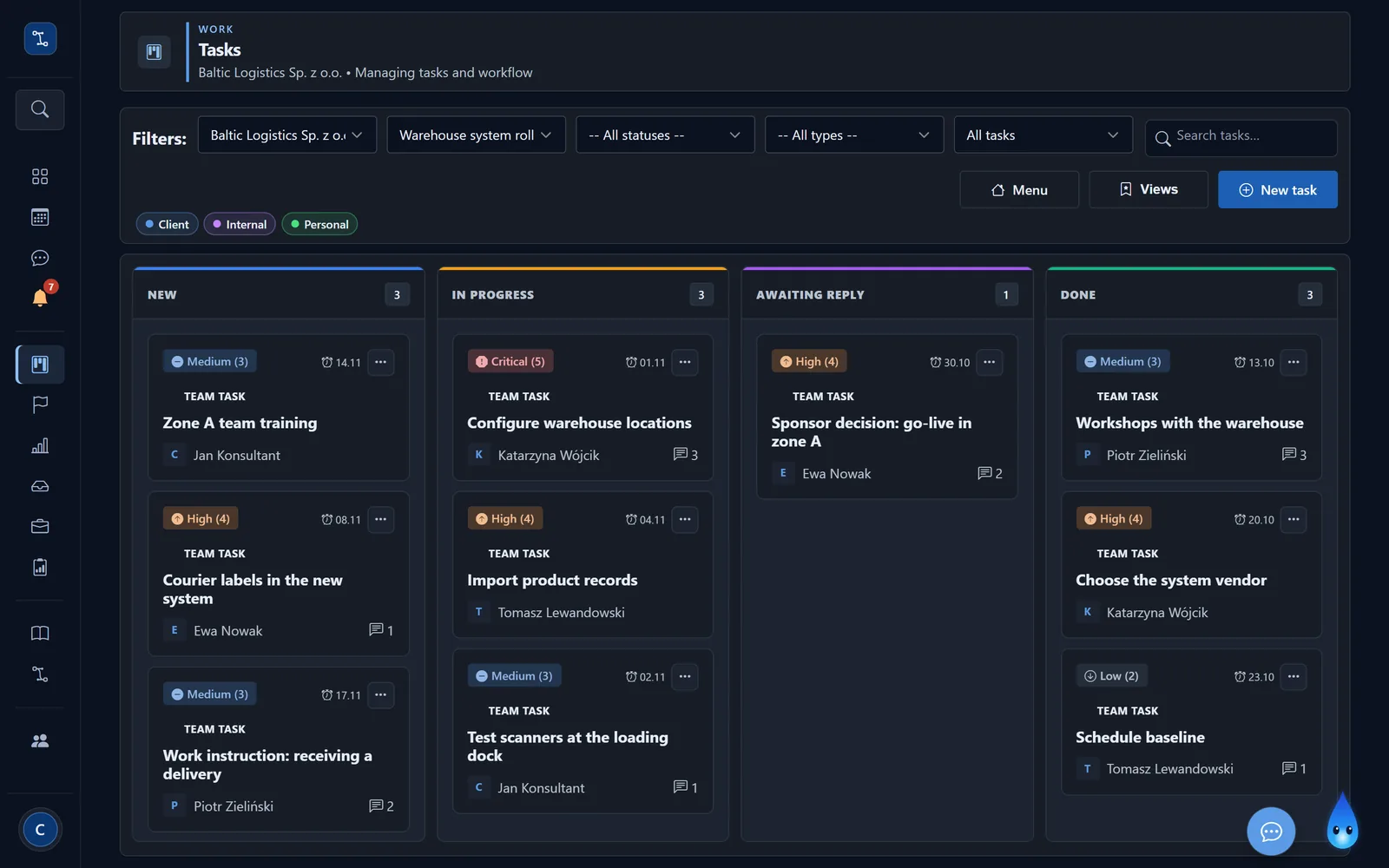
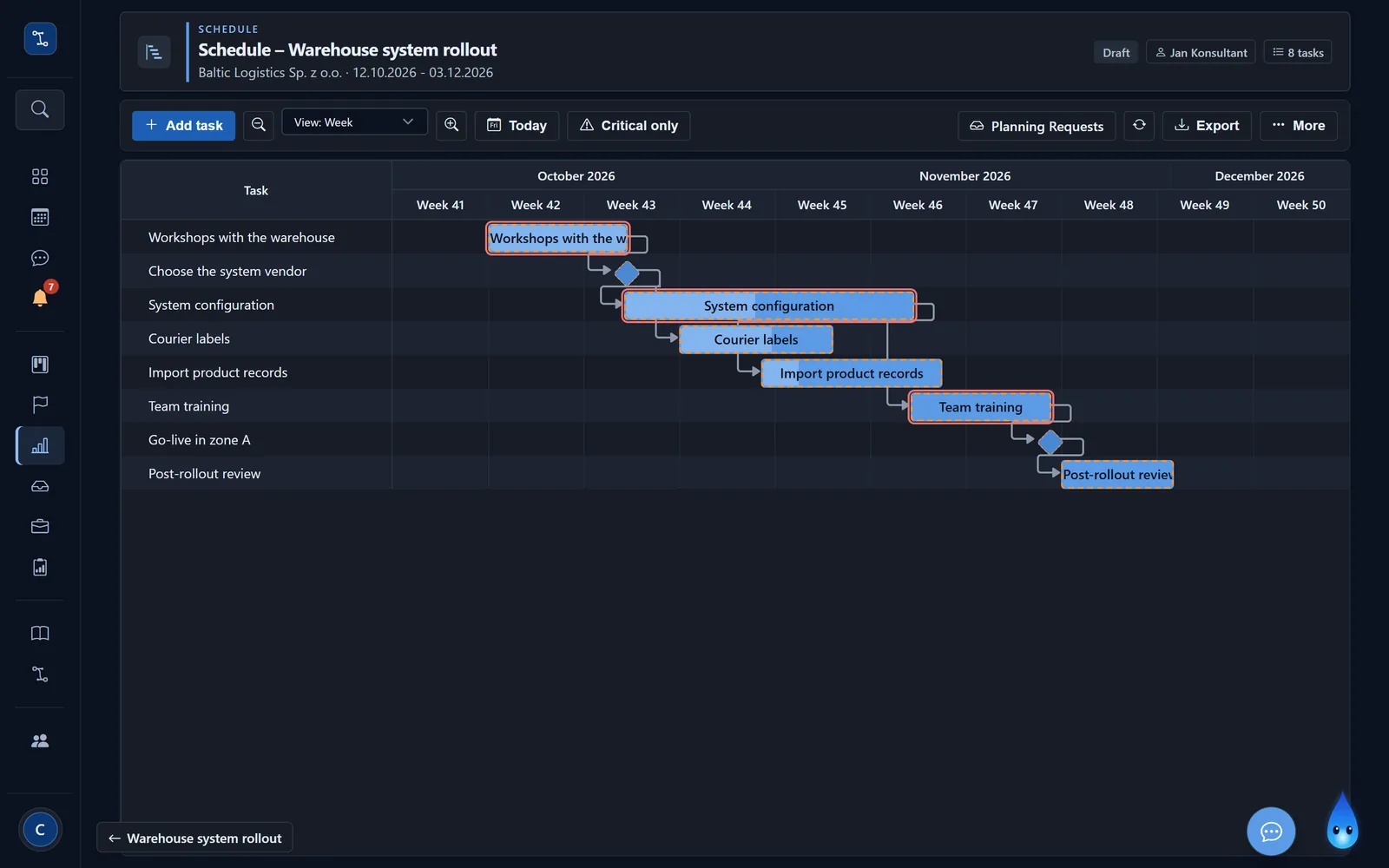
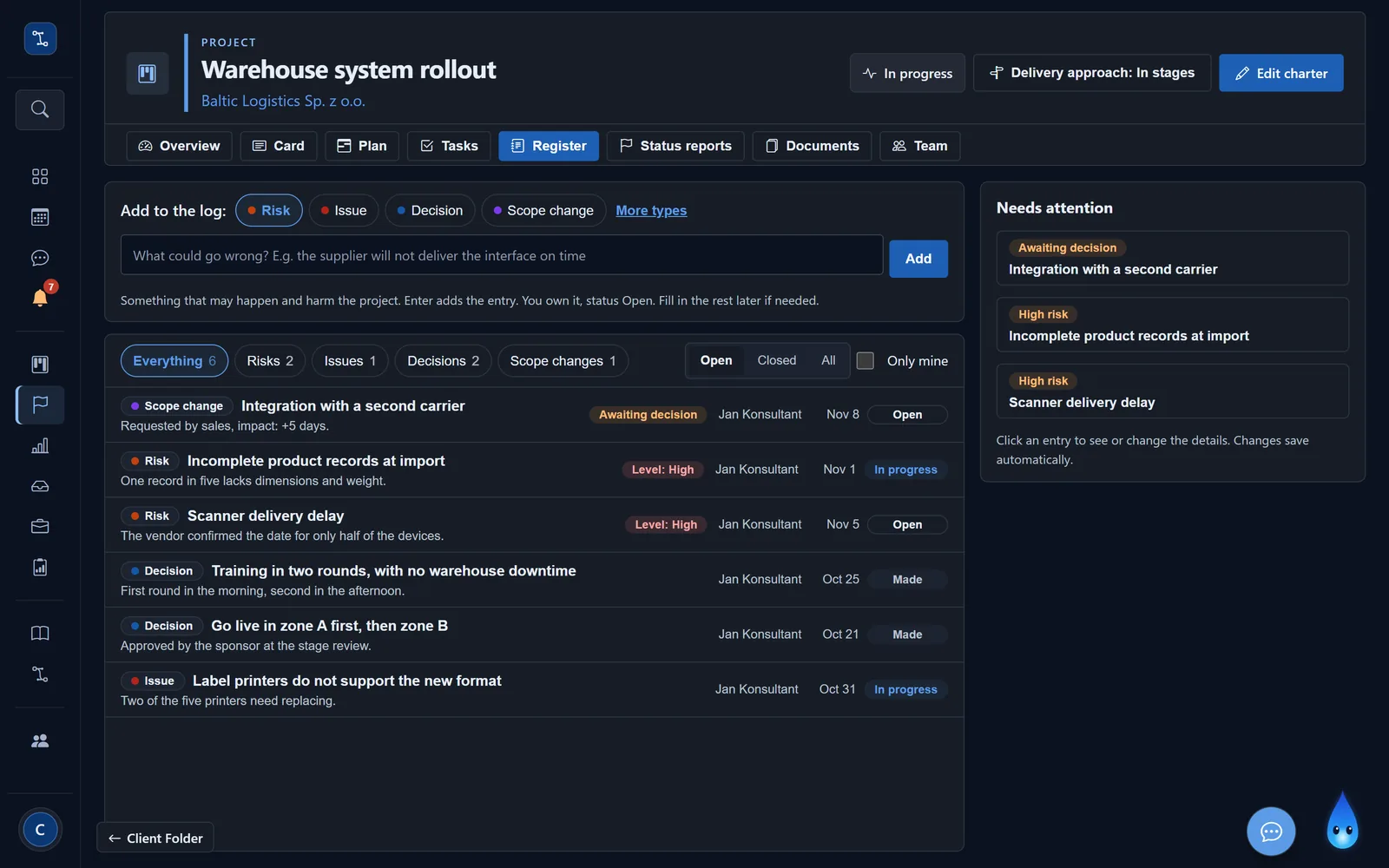
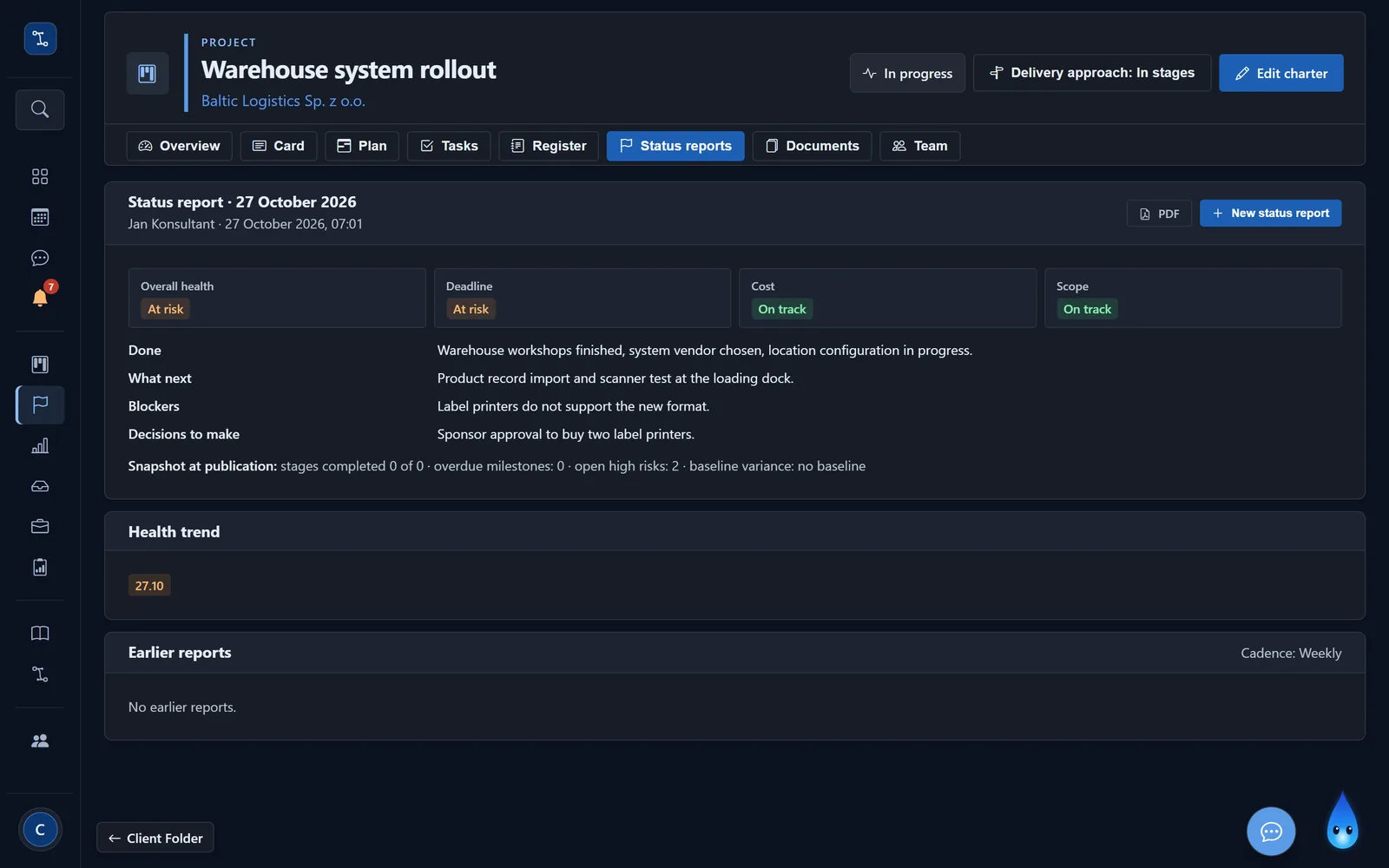
A new warehouse system, a different document flow, a reorganised department: what we designed in the processes, we roll out as a project. The team sees its tasks there, the manager the plan and risks, and the sponsor makes a decision at the end of each stage.
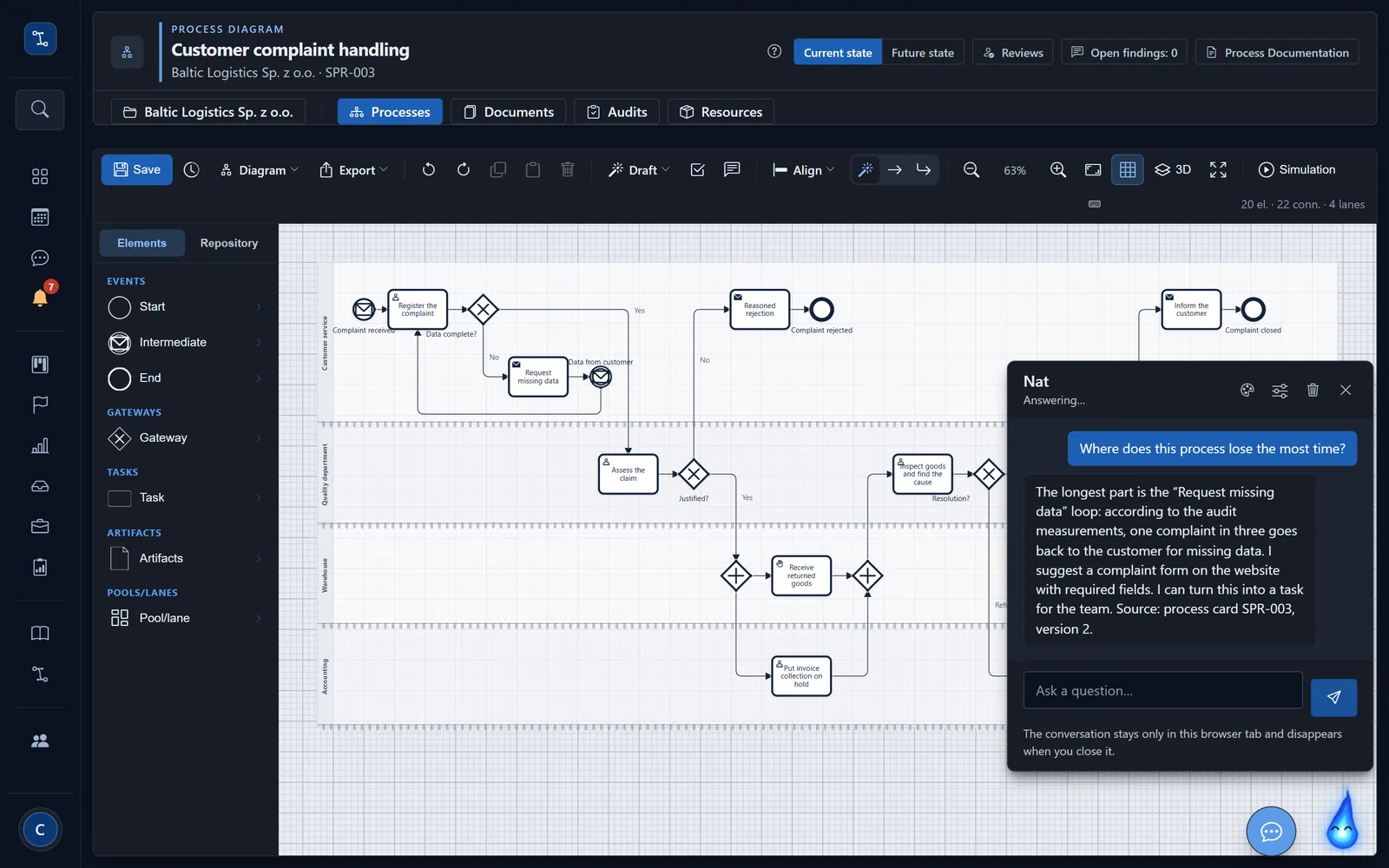
Nat, our AI assistant, answers questions based on your own sources.
The assistant knows the process cards and their documentation. Asked who approves a return, she answers with the card number and version. She also helps describe steps and risks, but saves nothing herself; a person approves every suggestion.
What it changes in running a company.
Familiar to every company. With nFlow, they end differently.
A new person joins the team
On day one they get an account, a description of their role in the process and procedures to confirm. Onboarding no longer depends on someone finding the time to explain everything.
An experienced employee leaves
The way they did the work is written down in the card and on the diagram. Their replacement starts from a document, not from scratch.
Two departments understand the same process differently
One approved version of the card is in force, and the responsibility matrix states plainly who does the work, who decides and who must be informed.
The owner asks where the rollout stands
Every week they get a one-page report: what was done, what may slip and what decision is needed. No chasing information around departments.
A customer or auditor asks for a procedure
The register holds the one version in force and the list of people who confirmed it. Answering takes a minute, not a day.
Complaints are rising and nobody knows why
The diagram shows where work loops back, and the process measure shows whether the change really helped.
Small thing, big change.
Card versions
A change goes into a new version; earlier ones stay in the history.
Screenshots on steps
With the spot in your system highlighted, in the PDF too.
A link for people without an account
An accountant or a supplier, for example, can read and comment on the card.
Periodic procedure review
A reminder for the owner 30 days before the due date.
Import of existing files
Word or PDF procedures loaded in bulk from a department folder.
Critical path and baseline
The schedule shows which task is holding up the rest.
Stages and gates
Each stage ends with a sponsor decision: go, go with conditions, go back or stop.
Card and report as PDF
The process card and the audit report, ready to print or send.
Two languages
The app and documents in Polish and English.
A separate folder for each client
Employees see only their own company's processes.
See for yourself.
We'd be glad to show you the app using one of your own processes.